
AMD Ryzen AI Max+ 395 vs Nvidia DGX Spark vs Apple Mac — plus when a GPU tower still beats all three. A practical hardware guide for IT managers, developers, and small-business owners weighing a local LLM machine.
The short version: there’s no single winner. The right pick comes down to three numbers — how big a model you need to run (memory capacity), how fast it has to run (memory bandwidth), and which software you depend on (CUDA, ROCm, or Metal). A discrete-GPU tower is fastest but hits a VRAM wall; AMD’s Strix Halo mini PCs give the most memory per dollar on Windows; Nvidia’s DGX Spark adds the CUDA stack at a premium; Apple’s Macs offer high bandwidth and silence without CUDA. An appendix at the end collects what early buyers of the AMD “lunchbox” are actually reporting.
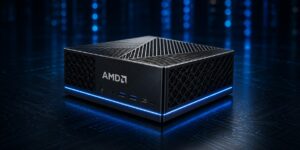
How to Choose the Best Mini PC for Local AI in 2026
A clip keeps making the rounds on social media: AMD CEO Lisa Su holding a mini PC roughly the size of a paperback in one hand, pitching it as a machine that runs very large language models (LLMs) locally — no data center, no cloud, no rented GPU. The caption is almost always the same line: a “$1,499 lunchbox” that “killed Nvidia’s $4,000 AI box.”
The demo was real, and the shift behind it is real. But that one-line version compares exactly one thing — a price tag — and skips everything that actually determines whether one of these machines will work for you. A box that can technically load a 200-billion-parameter model isn’t the same as a box that runs it fast enough to be useful, with the software your team already depends on.
So here’s the more useful question. There are now four genuinely different ways to run a local LLM on your own desk, and they involve real trade-offs in speed, capacity, software, and price. This guide walks through how to tell them apart and which one fits which job.
First, the only three numbers that matter
Strip away the marketing and local AI performance comes down to three things.
Memory capacity decides what fits. A language model has to be loaded into memory before it can run. A 70-billion-parameter model at 4-bit quantization needs roughly 40 GB; a 200B+ model needs well over 100 GB. If the model doesn’t fit, it doesn’t run at full quality — full stop. This is the wall that older graphics cards hit, and it’s the whole reason the “unified memory” boxes exist.
Memory bandwidth decides how fast. Once a model fits, every token the machine generates requires reading the model’s weights out of memory. The faster the memory, the faster the tokens. This is the number the viral posts never mention, and it’s often the deciding factor. An Nvidia RTX 5090 moves data at 1,792 GB/s; a typical Ryzen AI mini PC sits around 256 GB/s. That gap is why a discrete GPU still feels quicker on models small enough to fit on it — and why a model that only fits in a big unified-memory pool may still generate text at reading pace rather than instantly.
The software ecosystem decides whether your tools run at all. Nvidia hardware runs CUDA, which most professional ML frameworks (vLLM, DeepSpeed, much of the research world) are built around. AMD uses ROCm. Apple uses Metal. For straightforward local inference with Ollama or LM Studio, all three are fine. For training, fine-tuning, or anything tied to a CUDA-only toolchain, the ecosystem narrows fast.
Quantization sits underneath all three: running a model at 4-bit instead of 16-bit shrinks its memory footprint roughly fourfold, which is what lets a 70B model fit in 40-something GB in the first place, at a modest quality cost most users accept.
Keep those three levers in mind and the four hardware routes below mostly explain themselves.
Route 1: A discrete-GPU tower (build it or buy it)
The classic approach, and still the fastest for anything that fits. A desktop or workstation with one or more Nvidia GPUs — an RTX 4090, a 5090, or a professional card — gives you the highest memory bandwidth of any option here by a wide margin, plus the full CUDA ecosystem. It isn’t a mini PC, but for plenty of buyers it’s still the right call, which is why it leads this list.
The catch is capacity. An RTX 5090 ships with 32 GB of VRAM; a 4090 has 24 GB. That’s plenty for models up to ~32B at 4-bit, but a 70B model won’t fit on a single card, and a 200B model isn’t close. The workaround is stacking multiple GPUs, which is genuinely powerful and genuinely expensive — you’re buying several $2,000-plus cards, a power supply and case to match, and absorbing 575 watts per card in heat and noise.
Best for: training and fine-tuning, CUDA-dependent workflows, high-concurrency serving, and anyone who wants maximum speed on models that fit in 24–32 GB. Plenty of teams arriving at the unified-memory boxes are coming from exactly this kind of multi-GPU rig — and the cards they pull out still hold real resale value, so it’s worth selling old GPUs rather than letting them sit in a drawer.
Route 2: AMD “Strix Halo” unified-memory mini PCs
This is the category the viral clip was about. AMD’s Ryzen AI Max+ 395 (“Strix Halo”) pairs 16 Zen 5 CPU cores with a 40-unit Radeon 8060S GPU and — critically — up to 128 GB of LPDDR5X memory shared between them. There’s no separate VRAM pool and no PCIe transfer; the GPU can address most of that 128 GB directly. That’s how a sub-$2,000 mini PC loads models that would need a multi-card rig on the discrete-GPU side.
The trade-off is bandwidth. At roughly 256 GB/s, these chips are a fraction of a discrete GPU’s speed, so they win on capacity per dollar, not raw tokens per second. On smaller models a real GPU is quicker; on big models that simply won’t fit anywhere else at this price, the AMD box is the one that runs them at all.
The lineup is crowded, which is good for buyers. Consumer-grade options include the GMKtec EVO-X2, the Framework Desktop (128 GB around $2,000), Minisforum’s MS-S1 Max, and Beelink’s GTR9 Pro. The 64 GB models start near $1,500; 128 GB configurations generally run from roughly $1,800 to well past $3,000, and AMD’s own first-party Ryzen AI Halo opened pre-orders in June 2026 at $3,999. Just as important for businesses: HP now ships the Z2 Mini G1a, the same silicon in an enterprise workstation with on-site warranty support, which matters far more in a procurement cycle than another no-name box from a marketplace listing.
Best for: Windows-native local inference, large models on a budget, and teams that want the unified-memory advantage with a vendor and warranty they recognize. Prices move week to week, so check current listings before you commit.
Route 3: Nvidia GB10 mini PCs (DGX Spark and its OEM cousins)
Nvidia’s answer in the same form factor is the DGX Spark, built on the GB10 Grace Blackwell superchip: a 20-core Arm CPU welded to a Blackwell GPU, sharing 128 GB of unified LPDDR5X. The pitch is the unified-memory capacity of Route 2 plus the full Nvidia/CUDA software stack the ML world is built on. The same chip shows up rebadged from Nvidia’s partners — Dell’s Pro Max with GB10 is essentially the same machine, and Lenovo, Acer, Asus, and Gigabyte all offer GB10 units.
Two things to know before you reach for one. First, price: Nvidia raised the DGX Spark from $3,999 to $4,699 in February 2026, an 18% jump it blamed on memory shortages — so the “$4,000 box” the memes mock is now closer to $4,700. Second, it runs Nvidia’s Linux-based DGX OS, not Windows. In Tom’s Hardware’s testing the Spark edged out the AMD Strix Halo box on raw throughput while the AMD machine held its own (and sometimes led) on token-generation latency — a reminder that “which is faster” depends on the workload, not the headline.
Best for: developers who need CUDA specifically, who are prototyping for eventual deployment on bigger Nvidia infrastructure, and who can work in Linux. If you don’t need CUDA, you’re paying a real premium for it here.
Route 4: Apple Mac (mini and Studio)
Apple Silicon was doing unified memory years before this category had a name, and it remains one of the strongest options for local inference — often with more bandwidth than the Windows mini PCs. A Mac Studio with M4 Max offers up to 128 GB at 546 GB/s; the M3 Ultra pushes that to 819 GB/s with even more unified memory — though Apple pulled its 512 GB option in 2026 as DRAM prices spiked, so the ceiling is now 256 GB (still enough to hold very large models entirely in memory). In one independent benchmark, an M4 Max edged out the Ryzen AI Max+ 395 on a 70B model despite identical 128 GB capacity — bandwidth doing the work.
The trade-offs are Metal instead of CUDA (fine for Ollama and most open models, limiting for CUDA-only research tools) and soldered memory you can’t upgrade later, so buy the tier you’ll need up front. For an always-on agent that sips power and runs silently, the smaller Mac mini is hard to beat — we made that full case in Why Mac mini Is the Surprising Frontrunner for Local AI Agents. (Worth noting the same memory crunch has reached Apple: it retired the $599 Mac mini in May 2026, so the line now starts at $799.) And because Macs hold their value better than most Windows hardware, an older Mac you’re replacing is usually worth selling rather than shelving.
Best for: silent always-on agents, privacy-sensitive inference, and anyone who wants high bandwidth and large capacity without a CUDA requirement.
Putting it together
| Your situation | Sensible route | Rough budget | Why |
|---|---|---|---|
| Solo developer, models up to ~32B, want max speed | Discrete GPU (single RTX 4090/5090) | ~$2,000–$3,500 | Highest bandwidth; capacity is enough at this model size |
| Small team, 70B+ models, Windows shop, value | AMD Strix Halo box (or HP Z2 Mini G1a) | ~$1,500–$4,000 | Big unified memory cheaply; enterprise option exists |
| CUDA toolchain or prototyping for Nvidia infra | Nvidia GB10 (DGX Spark / Dell Pro Max) | ~$4,699 | Unified memory plus the CUDA stack; Linux only |
| Always-on agent, privacy, low power, no CUDA need | Apple Mac mini / Mac Studio | ~$799–$6,000+ | High bandwidth, silent, large capacity |
| Training, fine-tuning, many concurrent users | Multi-GPU Nvidia workstation | $6,000+ | Bandwidth and CUDA at scale; nothing else competes |
The honest summary is that there is no single winner, which is exactly why the “$1,499 box beats $4,000 box” framing falls apart the moment you ask what you’re actually running. A discrete GPU wins on speed within its VRAM. The AMD and Nvidia unified-memory mini PCs win on big-model capacity per dollar, splitting on Windows-versus-CUDA. Apple wins on bandwidth, silence, and power draw, minus CUDA. Match the machine to the three numbers — capacity, bandwidth, ecosystem — and the choice gets a lot clearer than any keynote clip makes it look.
A practical way to start: figure out the largest model you genuinely need to run, work backward to the memory capacity that fits it, then pick the route whose bandwidth and software match how you’ll use it. If you can, run a 30-day pilot before buying the top configuration — local AI moves fast, and the right answer in three months may not be the one that’s trending today. If a hardware refresh is part of the move, the server RAM, CPUs, and GPUs coming out of the machines you’re replacing usually fetch more sold as parts than left in a closet.
APPENDIX: what early buyers report
This focuses on AMD’s Ryzen AI Max+ 395 “lunchbox” — the machine the viral clips are about, and where most hands-on community testing has happened. A digest of findings from hardware forums and benchmark threads, early 2026, with sources:
- “Runs a 235B model” needs an asterisk. Qwen3-235B is mixture-of-experts — only ~22B parameters are active per token, which is what lets it fit. It runs at Q3 quantization (~101 GB) and about 11 tokens/second. Works; not effortless.
- Speed drops as context grows. One owner measured ~20 tokens/second on empty context, 5–10 by 30k tokens, occasionally 2, plus out-of-memory errors. A used RTX 3090 ran a similar model at ~32 tokens/second — faster, but can’t hold the biggest models. (Hacker News)
- Prompt processing is the AMD soft spot. The DGX Spark reads input much faster than Strix Halo — the metric that matters for long documents and agentic coding. (benchmark roundup)
- Setup takes real work. Kernel parameters, Vulkan vs ROCm, custom containers — and AMD’s own kernel-compatibility limits. Not CUDA’s plug-and-play. (community guide)
- The real draw is privacy and control. Most owners cite keeping data on their own hardware — no cloud, no per-token billing — over any speed or price advantage. A model on your own desk also can’t be switched off remotely: in June 2026 a US export-control directive led Anthropic to suspend access to its Fable 5 and Mythos 5 models for foreign nationals worldwide (TIME, CNBC), a reminder that cloud access can change overnight.
Related reading: Why Mac mini Is the Surprising Frontrunner for Local AI Agents · Hybrid Inference Architecture: Why the Token Factory Scales as Local AI Explodes