
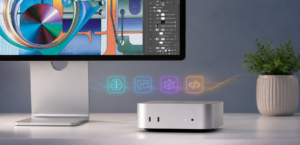
Why Mac mini Is the Surprising Frontrunner for Local AI Agents
A practical hardware guide for anyone evaluating on-device AI in 2026 — whether you manage IT for a company or are simply curious about running your own private AI assistant.
Open-source AI agents have had a remarkable few months. OpenClaw, the autonomous agent created by developer Peter Steinberger, went from a hobbyist GitHub project (first published in late 2025 under the name Clawdbot) to over 247,000 GitHub stars by early 2026 — enough to attract a TED Talk, a Lex Fridman podcast episode, and eventually a job offer from OpenAI. Meanwhile, OpenCode, a terminal-based open-source coding agent, surpassed 146,000 GitHub stars and is adding thousands more every week.
A quieter story runs alongside them: the Apple Mac mini has reportedly been difficult to keep in stock since early 2026, with much of the demand coming from developers and businesses spinning up local AI infrastructure. The two trends are connected. And if you have been wondering why a $599–$1,999 desktop, the size of a paperback book, keeps showing up in AI infrastructure conversations where you would normally expect a $4,000 tower workstation, this post explains the reason.
1. What Is a “Local AI Agent” — and How Is It Different from the AI You Already Use?
This is worth getting clear on, because the term gets used loosely.
When most people use AI today — ChatGPT, Claude.ai, Gemini, Copilot — the actual language model runs on the provider’s cloud servers. Your prompt travels to their data center, gets processed by a massive model on their hardware, and the response comes back to you. The cloud is doing the heavy lifting. Your device barely breaks a sweat. Cloud AI is still dominant, and for good reason: it requires no special hardware, is trivially easy to get started with, and the models available through cloud APIs are among the most capable in the world.
A local AI agent is a different architecture. The language model itself runs on your hardware — on your laptop, your desktop, or a dedicated machine on your local network. An agent layer on top of that model gives it the ability to take autonomous actions: read and send messages, write and edit files, call APIs, schedule tasks, run code. The model inference happens locally, which means your data never leaves your machine by default.
Why does this require a GPU? Large language models are fundamentally matrix-multiplication workloads. Running a 7-billion-parameter model involves multiplying matrices with billions of entries on every single token generated. CPUs are poor at this — they are optimized for serial tasks. GPUs have thousands of simple cores designed exactly for parallel math, which is why GPU acceleration is required to run LLMs at any practical speed. On a conventional Windows PC, that means an NVIDIA or AMD discrete graphics card. On Apple Silicon, it means the GPU cores built into the chip itself.
This distinction matters for the hardware discussion that follows.
2. Who Is Actually Running Local AI — and Why?
Cloud AI is the mainstream default, and that is unlikely to change anytime soon. But a growing segment of developers, small businesses, and privacy-conscious individuals is experimenting with local alternatives, drawn by a handful of practical motivations.
Data privacy and compliance. For law firms, healthcare offices, accounting practices, and businesses handling sensitive client data, routing documents through a third-party LLM API raises compliance questions. Local AI keeps everything inside the network. Conversations, files, and context stay on your hardware unless you explicitly configure cloud endpoints.
Predictable costs at scale. Cloud LLM billing scales with usage, which can become hard to predict as teams experiment more. A one-time hardware purchase carries no per-token cost. Whether that math works out in your favor depends on your usage patterns — it often takes a year or more for hardware to pay back against a cloud subscription.
No vendor lock-in. Open-source agents like OpenClaw and OpenCode work with any compatible model — Llama, Mistral, Qwen, DeepSeek, Phi — so you are not dependent on a single provider’s pricing or availability. If a better open model ships next month, you swap model weights, not vendors.
Always-on automation. Cloud agents typically respond to prompts. A local agent on a low-power machine in your closet can run 24/7, polling inboxes, watching for triggers, and acting on schedules without an ongoing API cost per cycle.
It would be an overstatement to say businesses are broadly switching from cloud AI to local AI. Most teams using cloud AI are happy to stay there, especially given the quality advantage that frontier models like Claude and GPT-4o still hold over locally-runnable open models. The more accurate framing is that local AI is becoming a viable option for specific workloads — particularly privacy-sensitive or always-on background tasks — and the hardware conversation has shifted as a result.
There is also a middle path worth knowing about: a hybrid inference architecture, where routine or privacy-sensitive tasks run on local hardware while heavier or less frequent workloads are offloaded to cloud APIs. We covered that approach — and why it is well-suited to businesses that want the benefits of both — in an earlier post in this series: Hybrid Inference Architecture: Why the Token Factory Scales as Local AI Explodes.
3. Why Mac mini Is Winning the Local AI Hardware Debate
The core reason: unified memory
The competitive advantage Mac mini holds for local AI inference comes down to a single architectural decision Apple made when designing Apple Silicon: unified memory.
On a traditional Windows or Linux workstation, the CPU and GPU are separate chips with separate memory pools. The CPU uses DDR5 system RAM (say, 32 GB); the GPU has its own VRAM on the card (say, 16 GB on an RTX 4070 Ti). These pools are physically separate and connected through a PCIe bus. To run a language model on the GPU, the model weights must first be loaded from system RAM into the GPU’s VRAM. That transfer takes time, and — more importantly — the model must fit entirely within the GPU’s VRAM. A 13-billion-parameter model at half precision is roughly 26 GB; it simply will not fit on a 16 GB or 24 GB consumer graphics card and cannot be run at full quality.
Apple Silicon is different. The M-series chip integrates the CPU, GPU, and Neural Engine onto a single piece of silicon and surrounds them with a shared pool of LPDDR5X unified memory. All three processors read from and write to that same memory. There is no separate VRAM. There is no transfer across a PCIe bus. A 24 GB Mac mini M4 Pro can hand a 24 GB model to its GPU cores directly — the full 24 GB is available for model weights, not split across two separate pools.
This is why a $1,999 Mac mini can run Llama 3.1 70B comfortably, while achieving the same on Windows hardware requires a professional GPU like the NVIDIA RTX 6000 Ada (48 GB VRAM) that costs $6,000–$7,000 on its own.
One important note on Apple’s RAM
Because the unified memory is soldered directly onto the chip package during manufacturing, it cannot be upgraded after purchase. The Mac mini ships in fixed memory configurations — 16 GB, 24 GB, or 48 GB depending on the model. Unlike a conventional PC where you can add RAM sticks later, what you buy is what you have. Choose the memory tier that fits your intended model size before ordering.
How software runs AI on Apple Silicon
Apple Silicon GPUs use Apple’s own Metal graphics API, not NVIDIA’s CUDA. This is a meaningful distinction: many professional ML tools (DeepSpeed, vLLM, certain research frameworks) are built around the CUDA ecosystem and do not currently have first-class Apple Silicon support.
For running LLMs locally, however, the ecosystem has largely caught up. Ollama — the most popular runtime for local language model inference — fully supports Apple Silicon via Metal acceleration and is the standard pairing with agents like OpenClaw. Most popular open-weight models (Llama, Mistral, Qwen, Phi, Gemma) run well on Mac through Ollama. If your goal is running agents with open-source LLMs, you are not limited on the Mac.
The numbers side by side
| Factor | Mac mini M4 Pro 48 GB | Win. Workstation + RTX 4090 24 GB | Win. workstation + RTX 6000 Ada 48 GB |
|---|---|---|---|
| Hardware cost | ~$1,999 | ~$3,500–$4,500 | ~$8,000–$10,000 |
| Largest model that fits | Llama 3.1, 70B (Q4) | 13B–32B (Q4) | Llama 3.1, 70B+ |
| Power draw under load | ~30–40 W | ~350–450 W | ~450–600 W |
| Est. annual electricity (24/7) | ~$50 | ~$160–$210 | ~$250+ |
| Tokens/sec (8B model) | 18–22 | 60–80 | 70–90 |
| Footprint | 5″ × 5″ × 2″ | Tower | Tower |
| Idle noise | Silent | Audible fans | Audible fans |
Power and performance figures are estimates based on community benchmarks (Compute Market, SolidAITech); actual results vary by model, quantization, and workload.
For an always-on agent workload running in the background 24/7, the Mac mini’s combination of silent operation, small footprint, low power draw, and sufficient model capacity is hard to match at the price.
4. Where Windows Workstations Still Win
None of this means Apple Silicon is the right choice for every AI workload. There are clear cases where NVIDIA hardware remains the better answer.
CUDA-dependent toolchains. If your team uses DeepSpeed, vLLM, or other research frameworks that require NVIDIA’s CUDA, you need an NVIDIA GPU. There is no CUDA on a Mac.
Model training and fine-tuning. For training your own models or fine-tuning on custom data, NVIDIA hardware — especially H100 or A100-class GPUs — is substantially faster per dollar than Apple Silicon. The Mac mini advantage is specifically in inference, not training.
High-concurrency serving. If you need to serve inference to many concurrent users with low latency, an NVIDIA GPU server will outperform a Mac mini. The Mac mini is optimized for one to a handful of simultaneous users.
Mixed workloads tied to Windows software. If the same machine must also run AutoCAD, SolidWorks, or professional video pipelines that depend on Windows software, a Windows workstation with a discrete GPU is the right tool. You cannot run Windows natively on M-series hardware.
For these workloads, an NVIDIA-based Dell Precision, HP Z-series, or custom build remains the right answer. The Mac mini’s case is specifically for the local inference + agent automation use case — and it is a strong one within those bounds.
5. A Practical Decision Guide for 2026
| Use case | Recommended hardware | Approx. price | Notes |
|---|---|---|---|
| Single-user pilot, 7B–13B models | Mac mini M4, 16 GB | ~$599 new | Best entry point. Try Ollama + OpenClaw. |
| Small team, 14B–32B models | Mac mini M4 Pro, 24 GB | ~$1,399 | Sweet spot for most small-team setups. |
| Privacy-critical, 70B models | Mac mini M4 Pro, 48 GB | ~$1,999 | Runs Llama 3.1 70B comfortably. |
| CUDA tools, training, or fine-tuning | Workstation + NVIDIA RTX 6000 Ada | $8,000+ | Required when CUDA or multi-user low-latency is needed. |
| Mixed CAD/video + light AI | Dell Precision or HP Z-series + RTX 4080/4090 | $3,500–$5,500 | Keep Windows; AI is a secondary workload. |
A practical pattern that works well for smaller teams: deploy one Mac mini M4 Pro as a dedicated, always-on agent server (in a closet or on a shelf), keep existing Windows workstations on desks for daily work, and have employees interact with the agent over the local network. Private AI without disrupting existing infrastructure.
6. What to Do With the Hardware You Are Replacing
Buying a Mac mini for AI agent work does not necessarily mean retiring anything immediately — but many teams treat this kind of purchase as a natural moment to consolidate. Aging Dell OptiPlex desktops, underutilized HP workstations, and old servers tend to accumulate quietly. A hardware refresh is a practical time to clear them out.
The good news is that older equipment still carries real resale value, especially if you act before it degrades further. Individual components — CPUs, GPUs, RAM, and SSDs — often fetch more sold separately than as whole machines. If you are replacing an older Mac or MacBook alongside your new mini, Apple devices in particular tend to hold their value better than equivalent-age Windows hardware and are worth selling rather than shelving.
For larger fleets, an IT asset disposition (ITAD) provider handles the logistics — data sanitization, packaging, and pickup — so your team does not have to. A common outcome: the resale value from four to six retired workstations offsets a meaningful portion of the new Mac mini purchase, effectively making the AI infrastructure upgrade a wash on the balance sheet.
7. The Bottom Line
Cloud AI remains the dominant model for most teams, and frontier models from Anthropic, OpenAI, and Google still lead on raw capability. But local AI is becoming a credible option for specific workloads — privacy-sensitive automation, always-on background agents, and cost-predictable small-team setups — and the hardware conversation has followed.
Within that local AI category, Apple Silicon’s unified memory architecture gives the Mac mini a genuine and unusual competitive advantage over conventional Windows workstations at comparable price points. It is not a universal win — CUDA toolchains, model training, and high-concurrency serving still favor NVIDIA. But for the inference and agent automation use case, a $1,399–$1,999 Mac mini outperforms hardware that costs two to four times as much, runs silently on $50 of electricity a year, and fits on a shelf.
If you want to try local AI in 2026, the practical starting point is short: a Mac mini M4 Pro 24 GB, Ollama, and an open-source agent. Run a 30-day pilot before committing to anything larger.
From this series: Hybrid Inference Architecture: Why the Token Factory Scales as Local AI Explodes
Related: Sell your CPU/processors · Sell GPUs · Sell RAM · Sell laptops and tablets · Sell network equipment